
Nothing OS 5.0 is the next major software update for Nothing smartphones. Based on Android 17, the update brings a redesigned interface, new AI features, better Glyph controls and several performance improvements.
Here is a simple look at what is new in Nothing OS 5.0, which phones will receive it and when the rollout is expected to begin.
Table of contents
What Is New In Nothing OS 5.0
Nothing has made several visual changes to make the software feel cleaner and more personal.
The homescreen can now use colours from your wallpaper. App icons and widgets can automatically match shades from the background, while transparent widgets and tinted icons help keep the overall look consistent.
Nothing is also introducing a new Geist font across areas such as Settings, Camera, Gallery and the status bar. Animations and icons have also been updated.
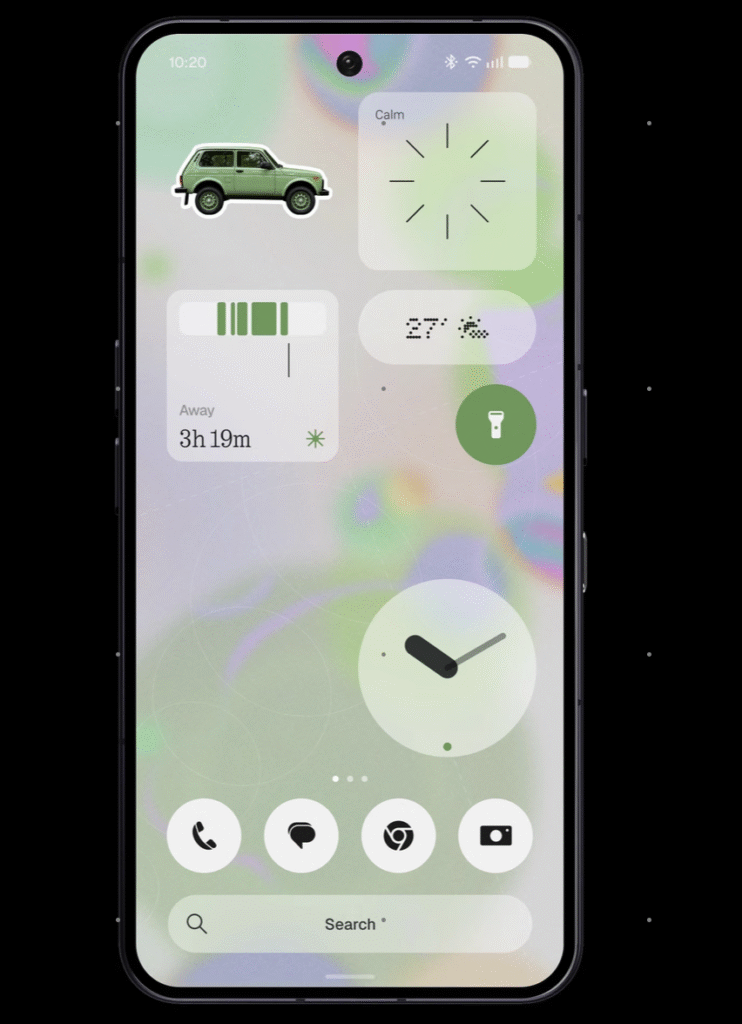
The lock screen gets two new clock styles called Gooey and Micrographics, along with more colour options.
Glyph Interface Gets Its Own App
Nothing is making the Glyph Interface easier to manage by putting its controls inside a dedicated app.
Users will no longer need to search through different settings menus to adjust Glyph features.
A new Glyph Timer can also be started directly from the homescreen.
Another feature called Collector lets users turn selected photos into stickers that can be placed on the homescreen.
Away Time tracks how long the phone remains unused and gives users a weekly overview of their longest screen-free periods.
Essential AI Features Get Smarter
Nothing’s Essential Space is also getting several upgrades.
Smart Collections can automatically organise similar captures, while improved search should make saved information easier to find.
Support for MCP or Model Context Protocol will allow compatible AI services to access selected information from Essential Space after the user gives permission.
Essential Voice now supports real-time captions and improved formatting for notes and summaries. Nothing says transcription can work with more than 100 languages.
The feature also works with the Super Mic on Nothing Ear (3) and can be activated using a customisable Essential Key shortcut.
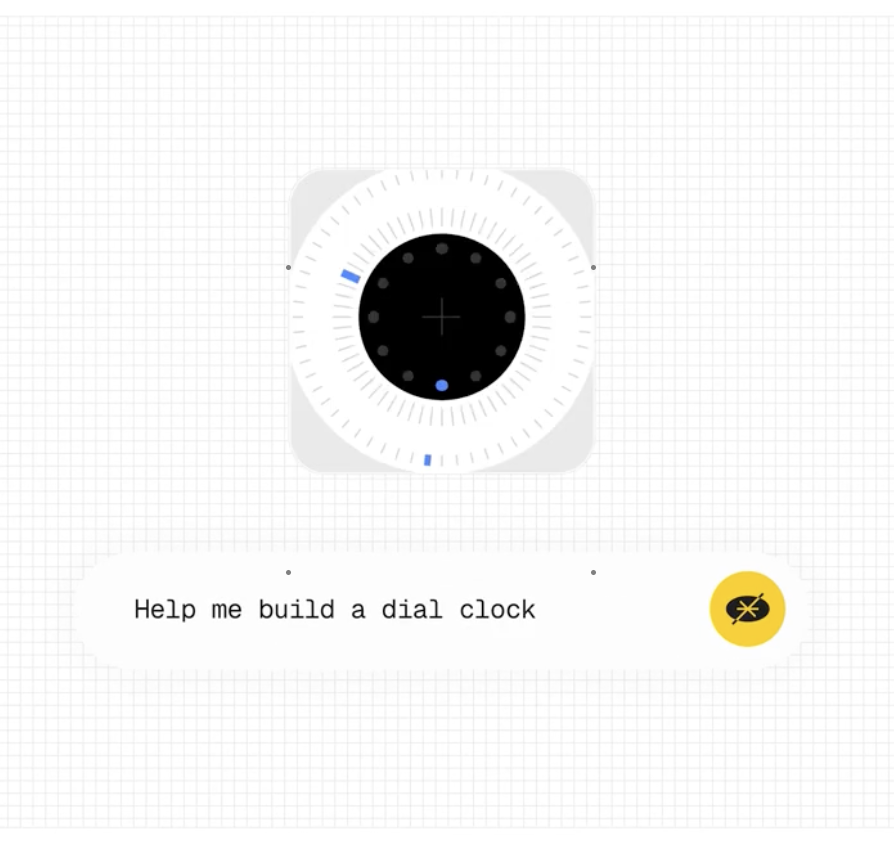
One of the more interesting additions is Essential Apps Builder. It allows users to describe a simple app they want using normal language, without having to write code.
Better Performance With Android 17
Nothing OS 5.0 also focuses on speed and smoother everyday use.
Nothing says app opening, scrolling and multitasking have been improved. Better memory management should also help apps stay open in the background for longer.
Bluetooth controls inside Quick Settings have been redesigned so nearby devices are easier to find and connect.
Since Nothing OS 5.0 is based on Android 17, it also includes several Android-level changes.
Notifications and Quick Settings are now shown in separate panels.
Quick Share can send files to nearby Android devices. Users can also create a QR code that allows an iPhone user to download the file through a secure web link.
Privacy indicators are clearer as well, making it easier to see when an app is using the camera, microphone or location.
Nothing OS 5.0 Supported Devices And Rollout Schedule
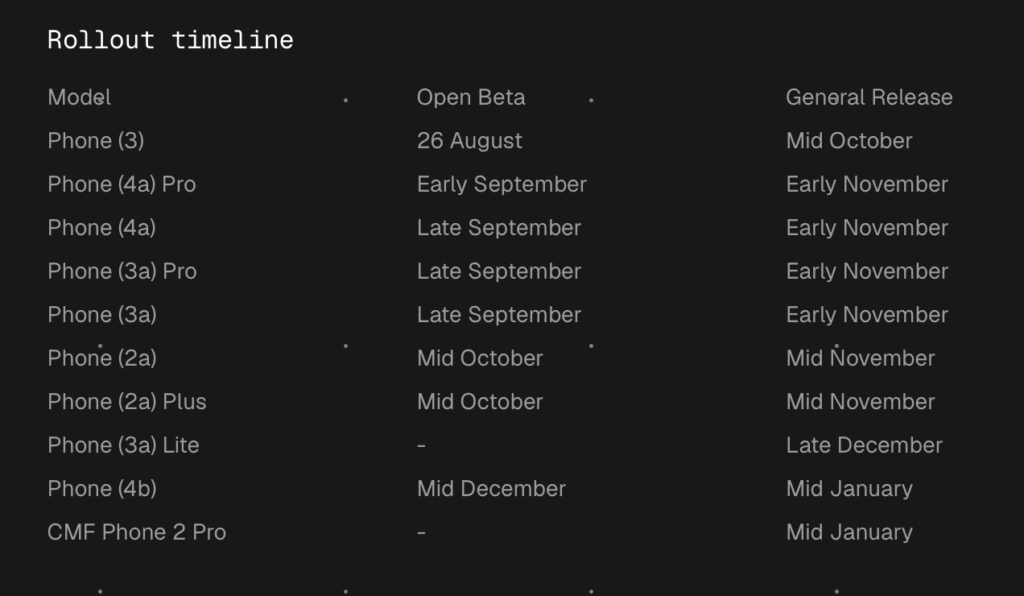
Nothing has shared a rollout schedule for eligible smartphones.
| Model | Open Beta | General Release |
|---|---|---|
| Phone (3) | 26 August | Mid October |
| Phone (4a) Pro | Early September | Early November |
| Phone (4a) | Late September | Early November |
| Phone (3a) Pro | Late September | Early November |
| Phone (3a) | Late September | Early November |
| Phone (2a) | Mid October | Mid November |
| Phone (2a) Plus | Mid October | Mid November |
| Phone (3a) Lite | Not applicable | Late December |
| Phone (4b) | Mid December | Mid January |
| CMF Phone 2 Pro | Not applicable | Mid January |
The rollout timing may vary depending on the region and other factors.
The original Phone (1), Phone (2) and CMF Phone (1) are not expected to receive Nothing OS 5.0 as they have reached the end of their software support period.
The Nothing Phone (3) is available through Flipkart in India. Check the Nothing Phone (3) listing on Flipkart.
You can also check other Nothing smartphones through this Nothing shopping collection.
Some Features Will Arrive Later
A few Nothing OS 5.0 features will not be available immediately with the Open Beta.
The redesigned homescreen and Micrographics clock style are expected with the general rollout beginning in October.
MCP support for Essential Space is also planned around October, while the redesigned capture experience is expected in November.
Essential Apps Builder is currently being offered through early access, with availability expanding gradually.
Real-time translation for Essential Voice has also been announced for a later release.
How To Install Nothing OS 5.0 Open Beta
Users need the latest Nothing Beta Hub V2.0 to join the beta programme.
- Make sure the phone is running the latest stable Nothing OS version.
- Install Nothing Beta Hub V2.0.
- Open Settings > System > Nothing Beta Hub.
- Tap Check Version and then Join Beta.
- When the update becomes available, tap Go to Update.
It is a good idea to back up important photos, messages, contacts and other files before installing beta software, as early builds may have bugs or battery-related issues.
How To Roll Back To Stable Nothing OS
Nothing Beta Hub V2.0 also makes it easier to return to the stable software.
Go to Settings > System > Nothing Beta Hub and tap Check Version.
Select Request Rollback if the option is available and confirm the request. Once the process is ready, tap Go to Rollback.
Rolling back will erase the data stored on the phone, so make sure everything important is backed up before starting.