
Finding one renewal date across hundreds of contracts can take longer than the decision itself. Adobe Acrobat Knowledge Base and Analyzer aim to reduce that effort by helping businesses ask questions across files and pull useful information into structured data.
The two capabilities focus on documents that companies already use, including policies, research reports, invoices and vendor agreements. Adobe is highlighting these tools as part of its wider push into AI-powered document workflows.
Table of contents
What do Knowledge Base and Analyzer do?
Knowledge Base helps employees get answers from a selected collection of documents. Analyzer extracts the same types of information from many files, making it easier to compare details across a large collection.
For example, an employee could ask a question about a company policy using Knowledge Base. A procurement team could use Analyzer to identify renewal terms across vendor contracts. Both tools connect results to source material for checking.
Knowledge Base brings source-linked answers
According to Adobe, Knowledge Base supports collections containing hundreds or thousands of documents. Supported content includes PDFs, Microsoft Office files, web pages, text and email.
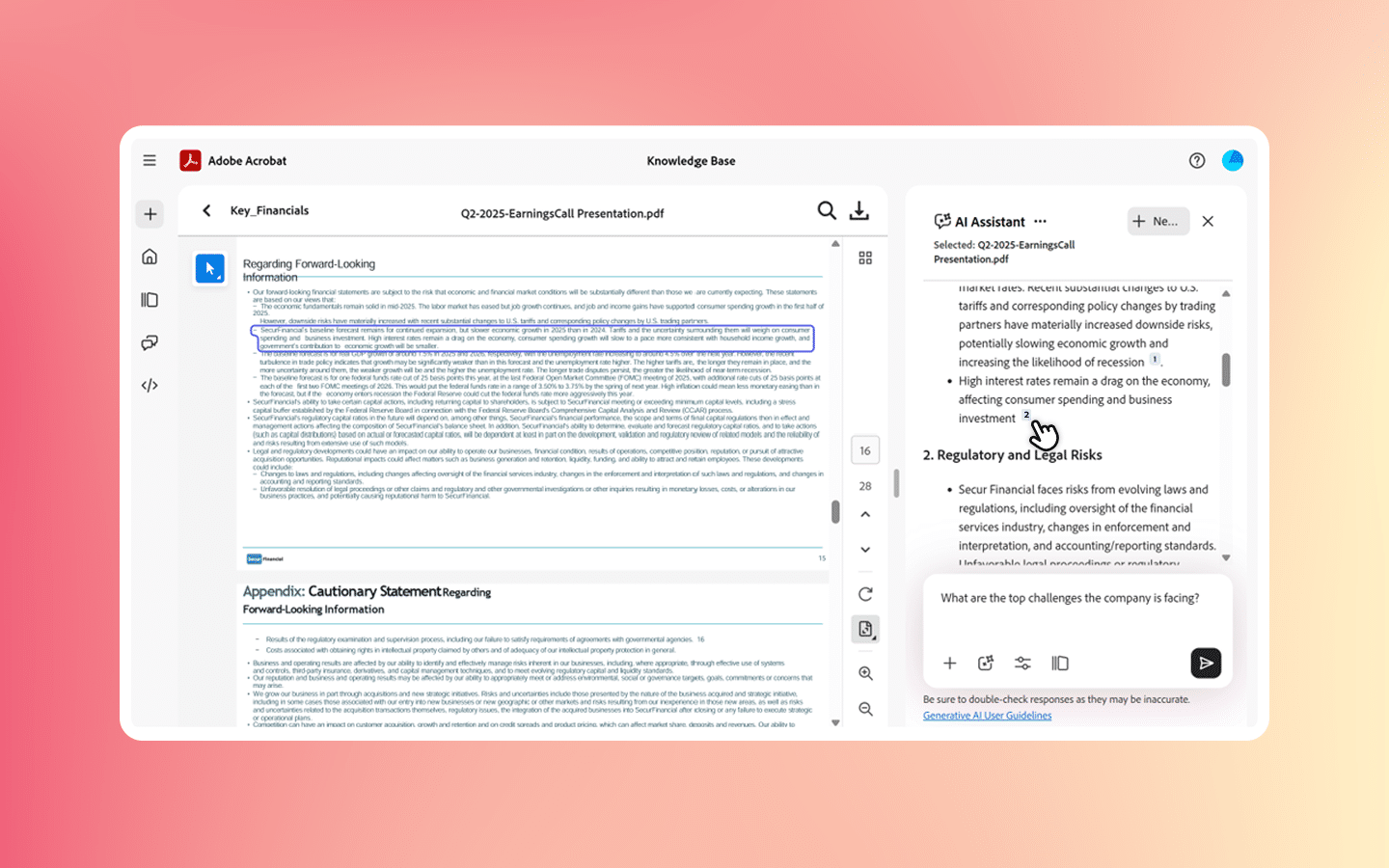
Answers link to the relevant passage, allowing the user to check the context. SharePoint and Google Drive sync can keep collections updated when files change. Collections can also be used within PDF Spaces, while chatbots bring access into Slack and Microsoft Teams.
This could be useful for HR policies, product information and internal research. Its value depends on the quality and relevance of the documents added to the collection.
Analyzer extracts contract and invoice details
Adobe describes Analyzer as an enterprise capability in Acrobat Studio. Teams define the information they need in plain language, then apply that instruction across a document collection.
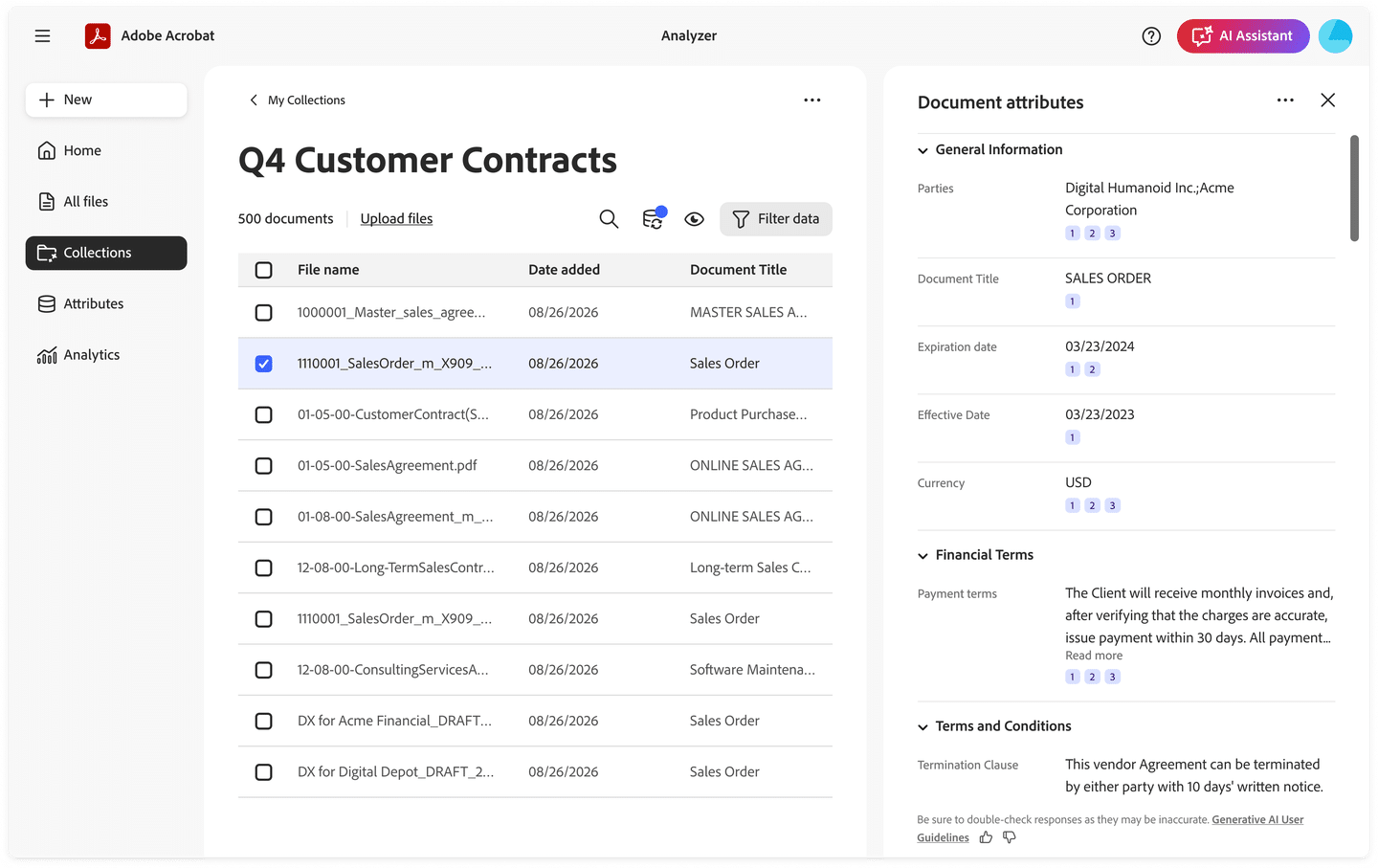
Examples include payment terms, renewal dates and commercial clauses. Supported inputs include PDFs, scans, Word and Excel files. Each extracted value carries a citation, helping reviewers check it against the original document.
Teams can test an extraction on a sample before running it across the full collection. Results can be exported as CSV or passed to business systems through a REST API. Adobe also lists role-based access, audit logs and administrative controls.
These are Adobe’s stated capabilities. AI results still need careful review before they are used for important business decisions.
Availability and pricing
Adobe’s product blogs, dated 9 September 2026, state that Knowledge Base is available as part of Acrobat Studio and Analyzer is available through Adobe’s enterprise team.
The announcements do not list separate India pricing or India-specific rollout details for these capabilities. Businesses should confirm licensing, supported integrations and regional access with Adobe before choosing a plan.
Useful accessories for document work
For a document-heavy desk setup, the Logitech M240 Silent Bluetooth Mouse is an option for everyday navigation. The SanDisk Ultra Dual Drive Go 128GB offers USB-C and USB-A connectors for moving files between compatible devices. Use removable storage for work files only where company policy permits.