
A dark scene can lose its impact if the monitor turns every shadow into a patch of black. The new BenQ Creative Pro PV3250U aims to solve that problem for video editors and colourists. Launched in India at Broadcast India 2026, this 31.5-inch 4K 120Hz monitor focuses on accurate colours, clear shadow detail and professional post-production work.
The BenQ PV3250U price in India is ₹1,48,998, against an MRP of ₹1,99,000. BenQ expects sales to begin in October 2026. It has also announced a smaller 27-inch PV2750U model for a later India release.
Table of contents
- BenQ PV3250U Price in India
- Why Colour Grading Needs an Accurate Monitor
- BenQ PV3250U Specifications
- 3000:1 Contrast Helps Reveal Dark Scenes
- Consistent Colours Across the Screen
- 16-bit 3D LUT Hardware Calibration
- Colour Coverage, HDR and 120Hz
- Useful Tools for Video Editors
- Thunderbolt 4 for a Cleaner Desk
- Shading Hood, Wireless Controller and ESS Audio
- BenQ PV3250U Compared With Other Creator Monitors
- Who Should Consider the BenQ PV3250U?
- Final Thoughts
BenQ PV3250U Price in India
| Model | MRP | Announced price | Link |
|---|---|---|---|
| BenQ PV3250U 31.5-inch 4K | ₹1,99,000 | ₹1,48,998 | Check listing |
| BenQ PV3200U | Varies | Varies | View price |
Why Colour Grading Needs an Accurate Monitor
Colour grading is where a video gets its final mood, whether it is a warm sunset or a dark, tense night scene. If the display hides details or shows the wrong colours, those mistakes may appear on TVs and phones later. A reliable 4K monitor for colour grading helps editors make better decisions. The Dhurandhar Netflix colour grading discussion is a good example of why the final viewing experience matters.
BenQ PV3250U Specifications
| Display | 31.5-inch 4K UHD, 3840 × 2160, 120Hz |
| Native contrast | 3000:1 |
| Colour coverage | 99% DCI-P3, 100% Rec.709 |
| Claimed colour accuracy | Delta E ≤ 1 |
| HDR | HDR10, HLG, VESA DisplayHDR 600 |
| Calibration | 16-bit 3D LUT, hardware calibration |
| Connection | Thunderbolt 4, up to 40Gbps and 96W charging |
| Audio | ESS DAC, headphones up to 300 ohms |
| Included features | Magnetic shading hood, Wireless Hotkey Puck G4, backlit OSD buttons |
3000:1 Contrast Helps Reveal Dark Scenes
When dark areas become solid black, editors call it black crush. The PV3250U uses a claimed 3000:1 native contrast ratio to help keep more detail visible. BenQ also tunes the display for gamma 2.4, commonly used for Rec.709 video viewed in dim conditions. Each monitor is factory calibrated, with extra checks for dark tones.

Consistent Colours Across the Screen
A large monitor should not look brighter in the middle than at its edges. BenQ’s AQCOLOR Uniformity adjusts brightness and colour across small areas of the panel. This helps prevent editors from correcting an issue that exists on the display rather than in the video.
16-bit 3D LUT Hardware Calibration
The PV3250U uses nearly 5,000 RGB reference points and 16-bit 3D LUT processing to fine-tune colour output. Calibration settings are stored in the monitor itself, so they are not limited to one PC or Mac. Owners can recalibrate the display with BenQ AQCOLOR Pilot and a compatible monitor colour calibrator.
Colour Coverage, HDR and 120Hz
With 99% DCI-P3 and 100% Rec.709 coverage, this display is designed for both cinema-style projects and regular online videos. BenQ claims Delta E of 1 or lower for colour accuracy. HDR10 and HLG are supported, along with VESA DisplayHDR 600 certification. The 120Hz refresh rate also makes scrolling and timeline navigation feel smoother.
Useful Tools for Video Editors
Shadow Check temporarily brightens dark areas to inspect noise and missed details. Marker displays framing and aspect-ratio guides, useful when preparing widescreen videos and vertical reels. Area Zoom magnifies a selected part of the picture for focus and detail checks. These tools do not alter the source footage.
Thunderbolt 4 for a Cleaner Desk
Thunderbolt 4 provides video, data and up to 96W laptop charging through a compatible cable, with bandwidth up to 40Gbps. This can reduce cable clutter on an editing desk. For a suitable connection, see these Thunderbolt 4 cables.
Shading Hood, Wireless Controller and ESS Audio
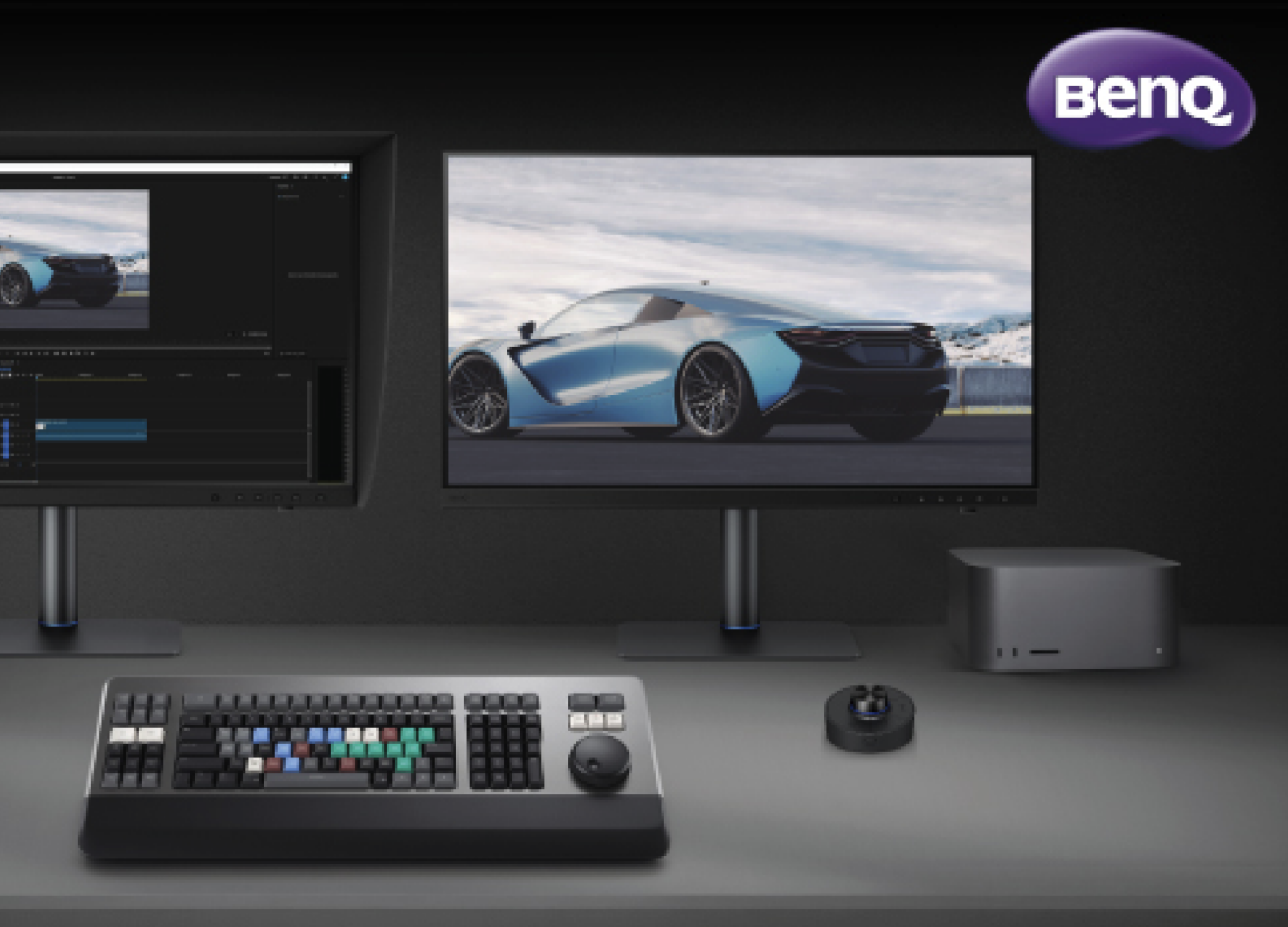
The magnetic shading hood helps block room lighting that can affect colour judgment. The Wireless Hotkey Puck G4 makes it easier to switch inputs and colour modes, with custom controls through Display Pilot 2. An integrated ESS DAC supports headphones rated up to 300 ohms. Those building an editing setup can also explore studio headphones.
BenQ PV3250U Compared With Other Creator Monitors
The PV3250U is primarily for professional video finishing. BenQ’s PD range also serves designers and photographers. Previous coverage of the BenQ PD2732U covers print and screen colour work, while the BenQ MA320UG is another option for Mac users.
| Monitor | Best for | Link |
|---|---|---|
| PV3250U | Professional grading and post-production | View offers |
| PV3200U | Video editing on a smaller budget | View price |
| PD2732U | Design and photography | Check availability |
| MA320UG | Mac-based creative work | Shop now |
Who Should Consider the BenQ PV3250U?
Film colourists, commercial editors, wedding filmmakers and post-production studios are the obvious audience. The contrast, calibration and uniformity features matter most when clients expect consistent results. For general YouTube editing, a less expensive 4K monitor may be sufficient.
Final Thoughts
At ₹1,48,998, the BenQ PV3250U is a specialist monitor rather than a casual desktop upgrade. Its combination of 4K resolution, 120Hz, 3000:1 contrast, hardware calibration and Thunderbolt 4 looks promising for demanding editing work. Real-world testing will show how well it holds up in a professional studio. Check the BenQ PV3250U listing for availability.