
Your phone can already store flight tickets, hotel bookings, screenshots and travel plans. The problem is finding all of them when you actually need them. OnePlus ColorOS 17 wants to fix that with smarter AI tools, smoother animations and stronger scam protection. The update is scheduled to arrive in India on 13 October 2026.
ColorOS 17 is based on Android 17 and carries the tagline “Silky Smooth. Flow with AI.” The main focus is simple: keep the phone feeling smooth for years and give AI the ability to complete real tasks instead of only answering questions.
Here is a simple look at the main ColorOS 17 features, India beta details, eligible OnePlus phones, Agent Mode, AI Call Guard and the settings you may want to try first.
Table of contents
- ColorOS 17 Release Date in India and Eligible OnePlus Devices
- Living Flow Design Gives ColorOS 17 a New Look
- Luminous Rendering Engine and Laminar Flow Engine Explained
- AI Mind Pilot Agent Mode Can Do Real Tasks
- AI Mind Pilot Privacy and File Access
- AI Mind Suggest, AI Mind Space and OSee
- AI Live Interpreter With OnePlus Buds Pro 4
- AI Call Guard Targets Voice Cloning and Face Swap Scams
- Private Computing Cloud and Post-Quantum Security
- ColorOS 17 Settings Paths to Try First
- What ColorOS 17 Means for OnePlus Owners
ColorOS 17 Release Date in India and Eligible OnePlus Devices
The ColorOS 17 release date in India is 13 October 2026, which is also the global launch date. OnePlus opened an India beta before launch, with registrations available from 9 to 12 October 2026 for five recent models.
| Phone | Beta Eligible in India | Required Base Build | Where to Buy |
|---|---|---|---|
| OnePlus 15 | Yes | CPH2745_16.0.10.500 or .601 (EX01) | See latest price |
| OnePlus 15R | Yes | CPH2767_16.0.10.500 or .600 (EX01) | Check today’s deal |
| OnePlus 13 | Yes | CPH2649_16.0.10.501 or .600 (EX01) | View offers |
| OnePlus 13R | Yes | CPH2691_16.0.10.500 or .600 (EX01) | Grab it here |
| OnePlus 13s | Yes | CPH2723_16.0.10.500 (EX01) | Shop now |
Only unbranded Indian units are eligible for this beta, so carrier-locked devices are not included. The wider ColorOS 17 update list for older OnePlus phones and Nord models is expected after launch. It is worth checking the Software Update section once the stable rollout begins.
You can also browse the phones featured in the OnePlus shopping collection.
Living Flow Design Gives ColorOS 17 a New Look
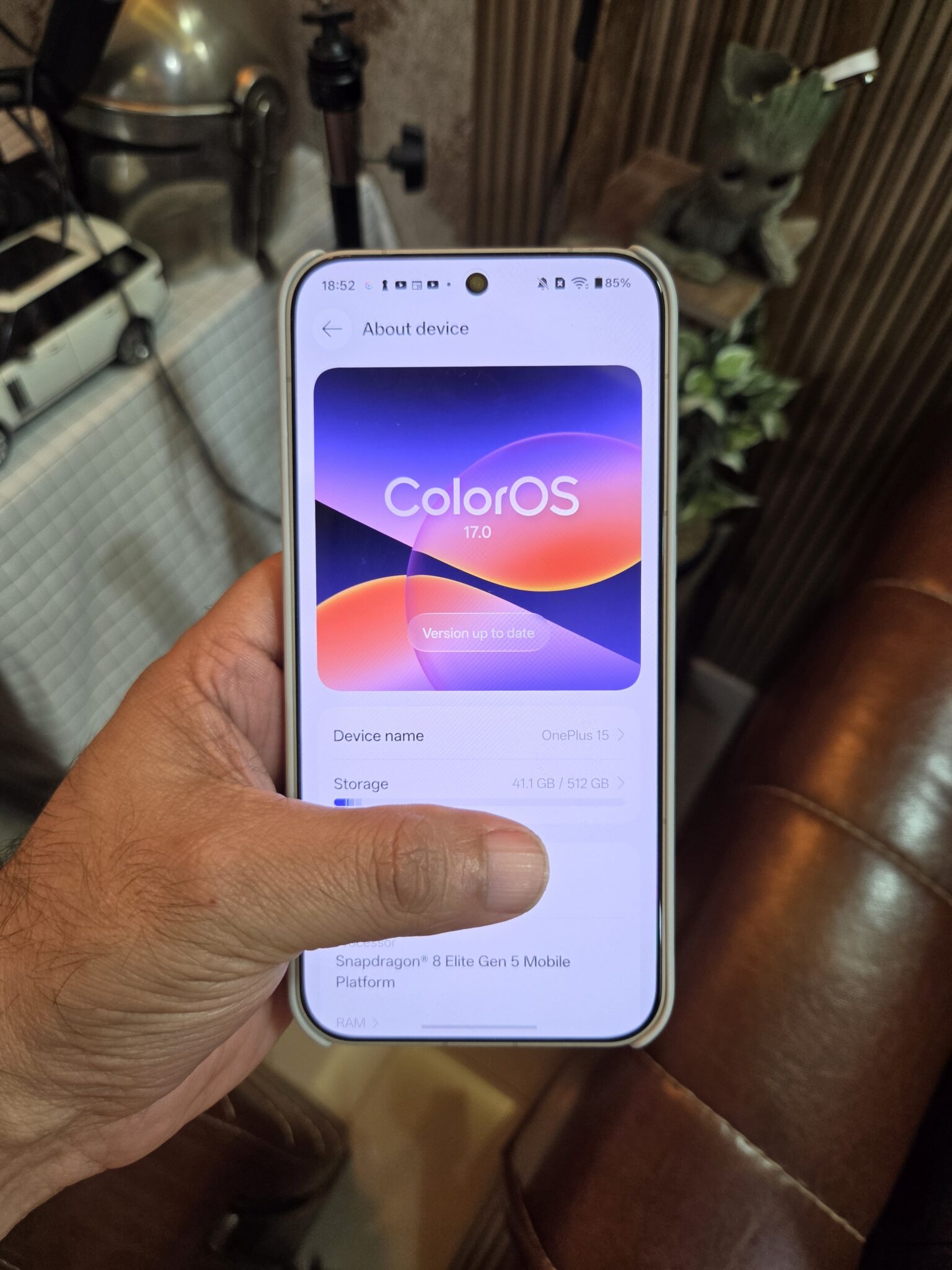
ColorOS has been working on smoother animations for several versions. ColorOS 15 introduced Parallel Animation, ColorOS 16 added Seamless Animation, and ColorOS 17 now brings Living Flow Design. It is built around three ideas: Luminous Effect, Fluid Motion and Flexible Feedback.
Luminous Effect makes menus look softer and more glass-like. Light effects react when you touch the screen, and the glow is also used to guide your attention to important areas.
One easy way to notice it is while playing music on Spotify. Tap Fluid Cloud, the Live Alerts bubble near the top, and expand it. The glow moves with the progress bar and reacts when you touch the card. Similar effects appear with alarms, calls and OnePlus Share.
Fluid Motion focuses on transitions. Instead of elements suddenly appearing or disappearing, they stretch, merge and change shape as you move between screens.
The new Living Clock is a good example. You can resize and move the clock, and it transitions smoothly between the Always-On Display, Lock Screen and Home Screen. A new Mountain Way weather theme can also show live sun, rain and snow effects based on the actual weather.
Flexible Feedback adds small bounce effects when you tap navigation bars in built-in apps or toggles in Control Center. The speed of opening and closing screens also changes depending on how fast you swipe, which makes the interface feel more connected to your hand movement.
You can test this by switching between the notification panel and Control Center slowly, then quickly. There is also a small extra setting that lets you clear notification badges by pinching out with two fingers on the Home Screen.
Luminous Rendering Engine and Laminar Flow Engine Explained
ColorOS 17 also adds two performance engines behind the scenes. The Luminous Rendering Engine uses a Unified Rendering Architecture. In simple terms, drawing tasks that were previously handled separately can now be processed together, reducing duplicate work.
The Laminar Flow Engine focuses on RAM and workload management. It uses OnePlus’ Adaptive Scheduling Architecture to decide which apps need resources immediately and which background tasks can wait.
| ColorOS 17 Performance Claim | Improvement vs Previous Version |
|---|---|
| RAM used for rendering in key scenarios | Up to 25% lower |
| Rendering load in key scenarios | Up to 30% lower |
| App launch stability | Up to 55% better |
| Gallery thumbnail loading on first view | Up to 50% faster |
| Apps kept alive in the background | Over 25% more |
| Long-term smoothness | Over 90% retained after a simulated 6 years, even with 90% storage full |
The long-term smoothness claim is probably the one older-phone users will notice most. These figures come from company testing, so real-world results will still depend on the phone, apps, storage usage and how the device is used over time.
AI Mind Pilot Agent Mode Can Do Real Tasks
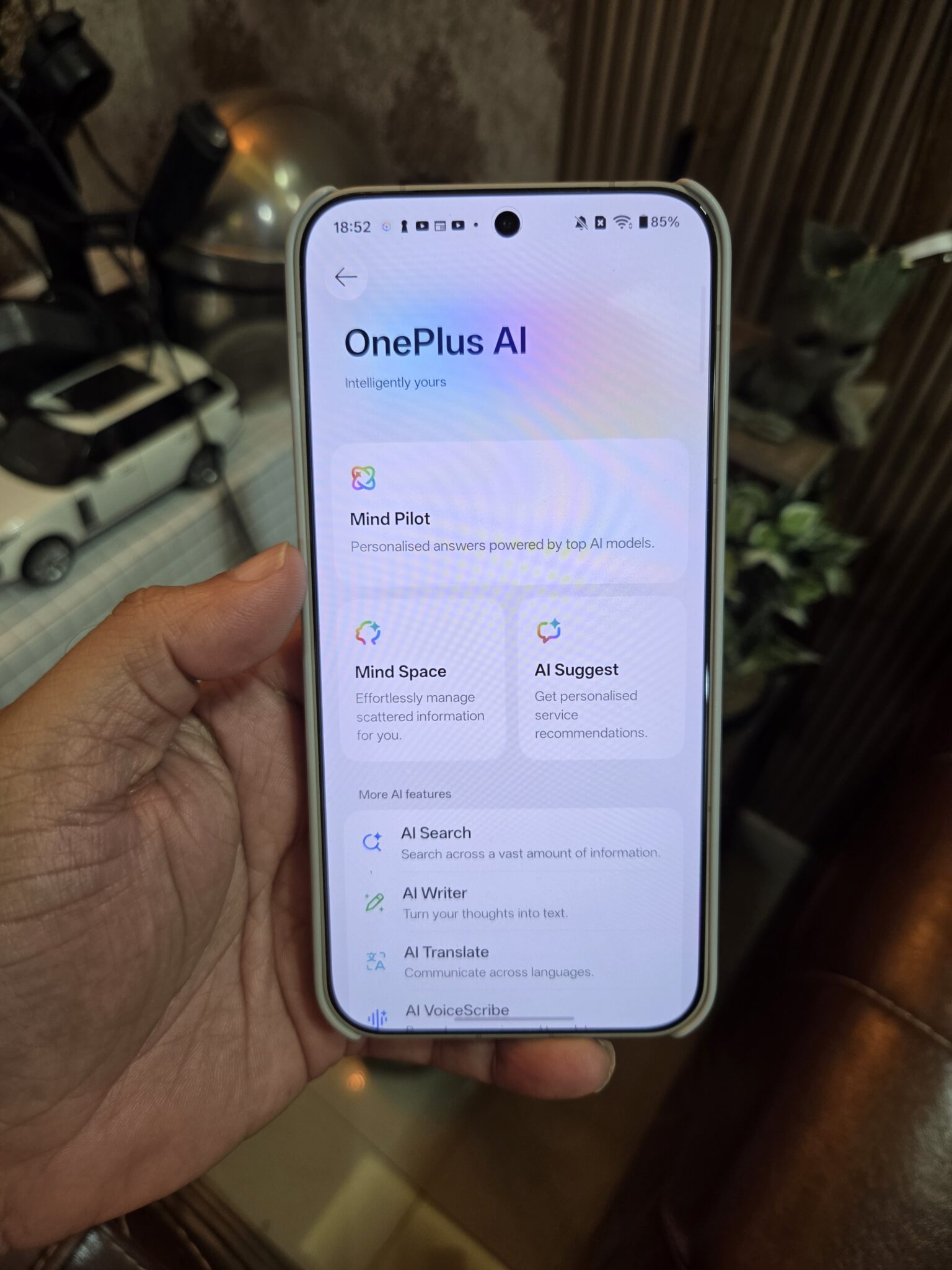
AI Mind Pilot brings Gemini, Perplexity and ChatGPT into one place and connects them with information saved in AI Mind Space. You can compare answers from different AI models side by side, which can be useful when you want another opinion or want to cross-check a response.
The bigger feature is Agent Mode. It can work with files and photos stored on the phone and carry out a series of actions from one request. Open AI Mind Pilot, tap the Ask/Agent switch in the left corner and select Agent Mode.
For example, after a trip you could ask it to collect flight tickets, hotel bookings, restaurant reservations and attraction passes. It can find the files, move them into one folder and rename them using their content and date.
It can also use those files to create something new, such as a day-by-day travel plan. Add online information and it can produce a simple webpage or presentation for the trip.
Photos are handled in a similar way. You can ask it to sort holiday pictures into albums by place or person, search for a photo using a description, or turn a selected image into a cover for a vlog.
OnePlus suggests trying Agent Mode while signed out of the OnePlus account for the best experience during the review period.
AI Mind Pilot Privacy and File Access
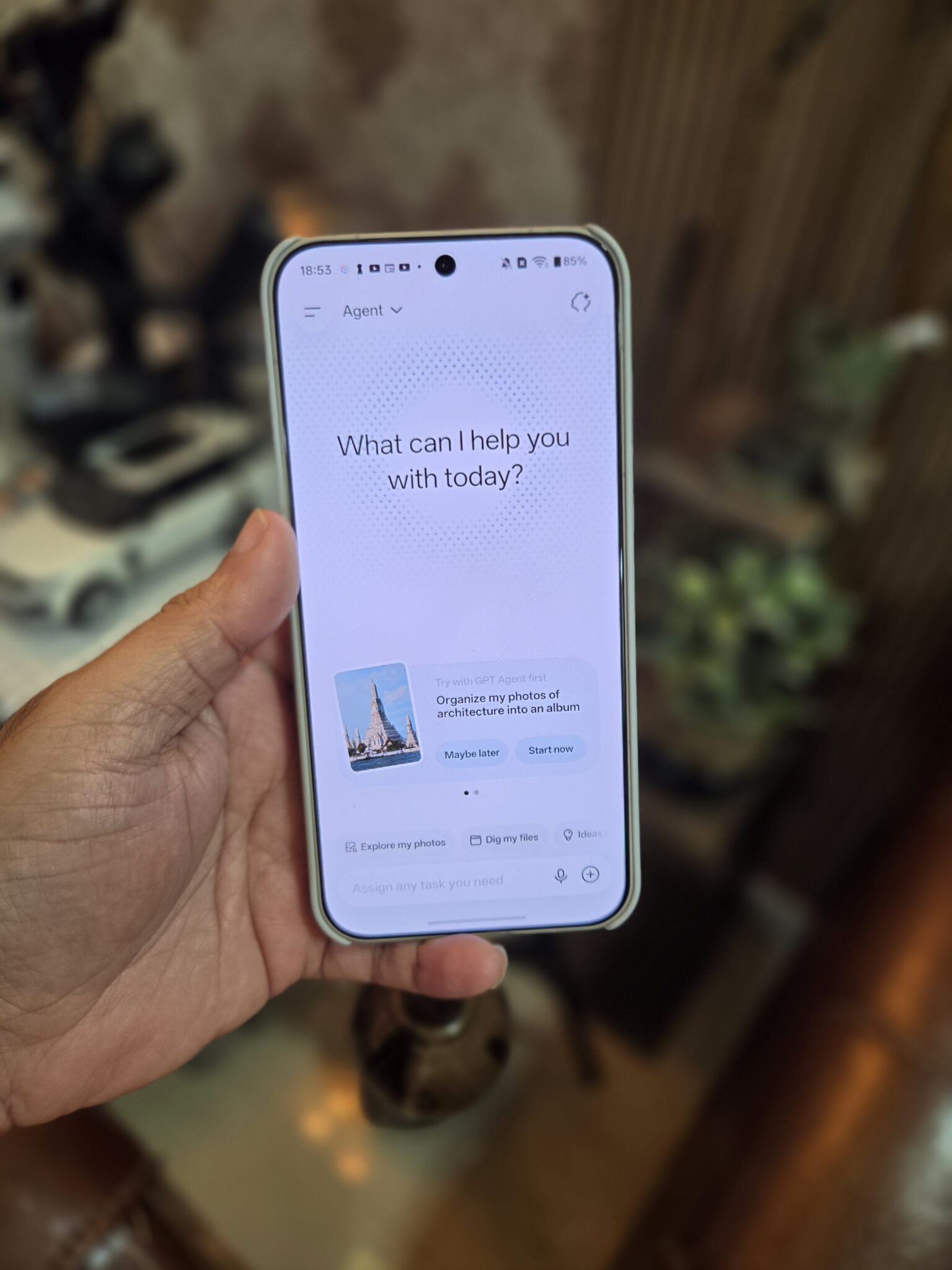
Giving an AI access to personal files naturally raises privacy questions. ColorOS 17 uses on-device models to read and index supported content locally. Tasks such as finding, sorting and renaming files or photos can be done without sending the original files to third-party AI services.
If a task really needs to upload something to an outside AI service, AI Mind Pilot asks for permission first. The idea is that files should not leave the device silently.
At launch, Agent Mode supports ChatGPT, Gemini, Perplexity and Manus. Some usage is included to help users get started. You can also link your own ChatGPT or Manus subscription or buy additional usage. Manus support for local files and photos is planned for a later update.
AI Mind Suggest, AI Mind Space and OSee
AI Mind Suggest is a Home Screen widget designed to show useful information before you search for it. For train and flight journeys, it can show upcoming trips, departure countdowns, live updates and disruption alerts.
For Indian Railways users, there is a MakeMyTrip Train Card that can show schedules, countdowns and quick access to full PNR status. The widget can also surface Spotify music suggestions.
To add it, long-press an empty part of the Home Screen and go to Widgets > AI Suggest. Flight cards need a supported third-party app to be installed.
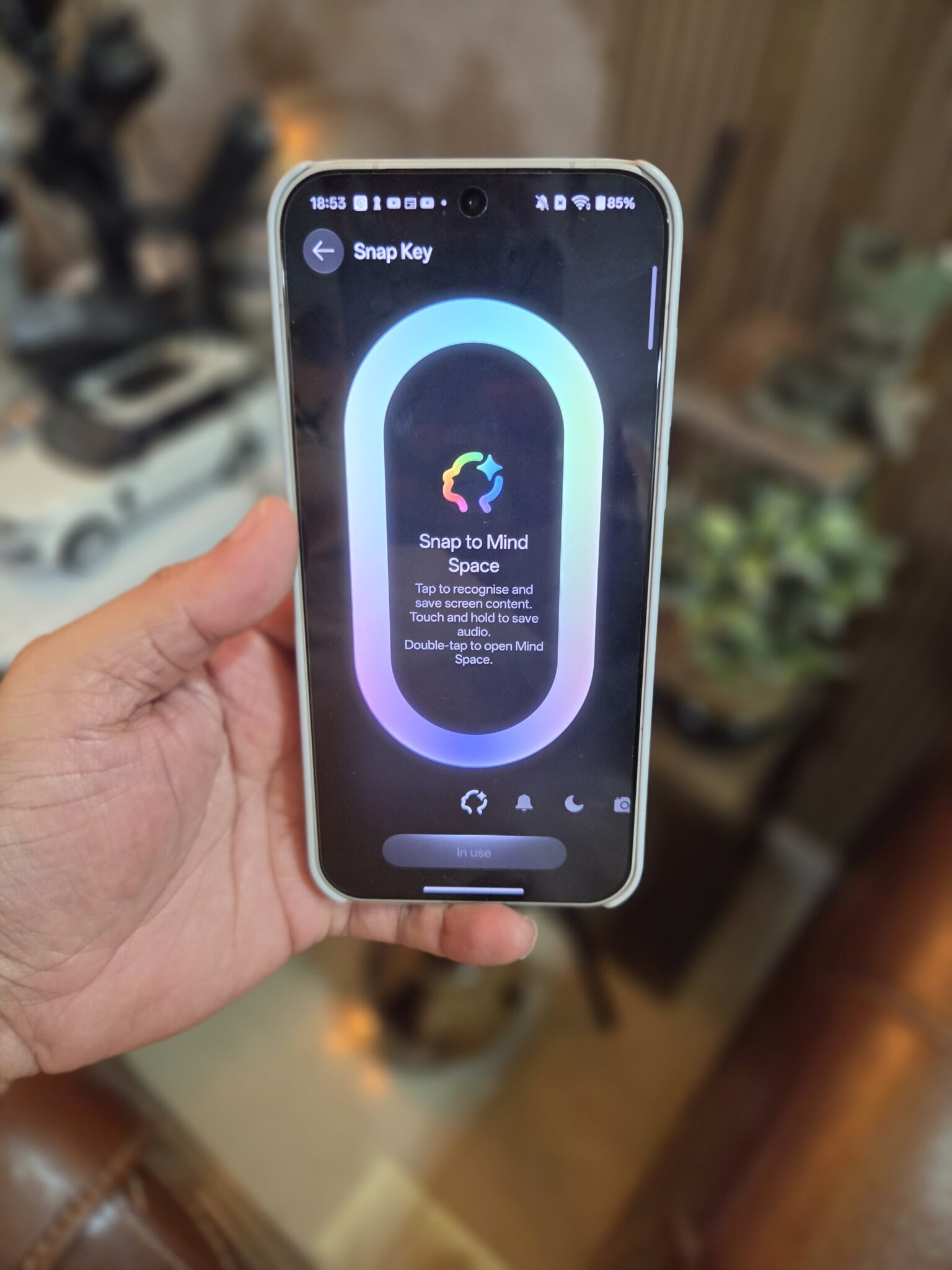
AI Mind Space works like a personal memory area. Press the Snap Key or swipe down with three fingers to save whatever is on the screen. ColorOS 17 adds Long-doc Capture, which can save full-length articles without forcing you to stitch several screenshots together. It can also create quick summaries.
You can save YouTube links and open them directly from AI Mind Space. Smart Collections automatically groups related saves, and travel-related places can be shown on a map to make planning easier.
OSee is a separate camera app that can recognise what you point the phone at. It can identify plants and animals, show nutrition information for food, and work with QR codes and web links.
OSee also includes AI Scan for documents and AI Menu Translation for restaurants when travelling. The app is planned for a later update.
AI Live Interpreter With OnePlus Buds Pro 4
Pair OnePlus Buds Pro 4 with a supported OnePlus phone running ColorOS 17 and you can use AI Live Interpreter during face-to-face conversations.
When the other person speaks, the translated audio plays in your ears in real time. The full conversation also appears on the phone screen so the other person can read it without both people constantly passing the phone back and forth.
If you are looking for earbuds for this feature, the OnePlus Buds Pro 4 is worth checking. You can also see our guide to the best wireless earbuds and headphones to buy.
AI Call Guard Targets Voice Cloning and Face Swap Scams
Scam calls are getting more advanced. Some fraudsters now use voice cloning to copy a person’s voice from a short audio sample, while face-swapping tools can make a video caller look like a family member or official.
AI Call Guard is ColorOS 17’s system-level protection against these tricks, and the detection runs using on-device AI.
Synthetic Voice Recognition listens for signs that a voice may have been generated by AI. AI Face Swap Detection checks video calls in real time for signs of a swapped face. The phone can show a warning when something looks suspicious.
Because the system can connect warning signs across calls and video, it may help catch a scam while it is happening. To enable it, go to Settings > Security and Privacy > Scam Protection. You can also open the OnePlus Phone app, tap the three-dot menu, open Settings and enable Synthetic voice detection.
Private Computing Cloud and Post-Quantum Security
Some AI tasks are too heavy to process only on the phone. For those jobs, OnePlus uses its Private Computing Cloud, or PCC. It combines secure hardware and security software to protect data while cloud processing is taking place.
ColorOS 17 adds a PCC Transparency Report on the phone. It records which AI services were used and when. You can view or export the report whenever you want.
A blockchain-based check is also used to confirm that the report has not been changed. In simple words, it works like a tamper-resistant record that can be verified.
PCC also adds post-quantum security. Future quantum computers may be powerful enough to break some of today’s encryption methods, so data travelling between the phone and the cloud gets two layers of encryption, including one designed to resist future quantum attacks.
You can find the report at Settings > OnePlus AI > Private Computing Cloud Transparency Report.
ColorOS 17 Settings Paths to Try First
| Feature | Where to Find It |
|---|---|
| Join the India beta | Settings > About device > Up to date > three-dot menu > Beta program |
| Agent Mode | AI Mind Pilot > Ask/Agent switch (left corner) > Agent Mode |
| AI Mind Suggest widget | Long-press Home Screen > Widgets > AI Suggest |
| AI Call Guard | Settings > Security and Privacy > Scam Protection |
| Synthetic voice detection | Phone app > three-dot menu > Settings |
| Badge-clearing pinch | Home Screen settings |
| PCC Transparency Report | Settings > OnePlus AI > Private Computing Cloud Transparency Report |
What ColorOS 17 Means for OnePlus Owners
ColorOS 17 is making two big promises. First, the phone should stay smooth for much longer. Second, AI should be able to do actual work with your files and photos while asking permission before anything sensitive needs to leave the device.
For users in India, AI Call Guard could end up being one of the most useful additions because AI-based scam calls and fake video identities are becoming harder to spot. Agent Mode is more ambitious, and its real test will be whether it can handle the messy Downloads folders and photo libraries people actually use.
If you are planning to buy a OnePlus phone, the OnePlus Nord CE6 review is a useful place to start. If you also want to see what ColorOS is doing on OPPO phones, check the OPPO Find X9 series in India. We will know more about day-to-day performance once the stable build is available and tested over a longer period.