
An office computer should leave enough room on the desk for actual work. The Acer Veriton Vero 4000 and 6000 All-in-One PCs combine the screen and computer in one unit, with Intel Core Ultra processor options, DDR5 memory and business-focused security. Their appeal is practical: fewer separate boxes at reception counters, bank branches, clinics and shared office desks.
Table of contents
1. Performance for Everyday Business Work
Acer offers Core Ultra 5, Core Ultra 7 and Core Ultra 9 options across the configurations described for these business AIOs. That gives an organisation room to match the processor to the work, rather than ordering the same high-end specification for every desk.
Accounting, ERP, CRM, email and browser-based tools can remain open together during a normal working day. The right choice depends on the applications and their requirements. A processor badge alone does not establish how quickly a particular company database or spreadsheet will run.
2. A Cleaner Desk With an Integrated Display
The 23.8-inch configurations described for this range use a Full HD IPS display with 1920 × 1080 resolution, an anti-glare finish and typical brightness of 250 nits. Touch is optional. Acer also lists 27-inch models within the Veriton Vero family, so the screen size must be tied to the exact model ordered.
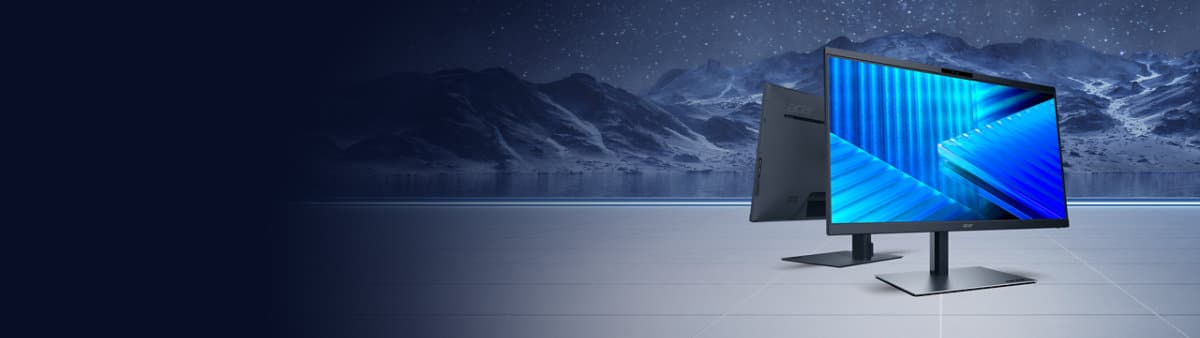
An integrated system is useful where the desk also holds paperwork, a payment terminal or diagnostic equipment. It removes the separate tower from the setup, although power, network and peripheral cables still need sensible routing. An AIO is also less flexible than separate components when the display or computer needs replacement.
3. Memory and Storage That Match the Job
The range uses DDR5 dual-channel memory and PCIe NVMe SSD storage. The described storage options run from 256GB to 2TB, with two M.2 SSD slots and SATA connectivity on the specified configurations. Installed storage and spare expansion capacity are different things, so both should appear in the purchase specification.
For a data-entry desk, application compatibility and an appropriately sized SSD may matter more than a top-end processor. A team that regularly works with large files or many applications will need more memory. Maximum RAM support varies between model listings; a single capacity ceiling should not be assumed for every 4000 or 6000 AIO.
4. Connections for Office Equipment
USB Type-A and Type-C, DisplayPort, HDMI output and Ethernet cover common workplace connections. Wi-Fi 6, Wi-Fi 6E and Wi-Fi 7 are configuration choices rather than a promise that every unit includes all three. Selected versions also offer HDMI input and a serial port.
That distinction matters at a counter with older equipment. An HDMI output connects another display; HDMI input serves a different purpose. Likewise, a required serial connection should be specified before ordering, not discovered to be missing when the computer reaches the desk.
For a Windows desk that needs a separate wireless keyboard and mouse, check out the Logitech MK270r combo. It is an accessory option, not part of a standard Veriton bundle.
5. Security and IT Management
Firmware TPM 2.0 and BIOS-based SSD password protection form part of the stated security features. Discrete TPM 2.0 and a chassis intrusion sensor or switch are optional. Wake-on-LAN allows a configured machine to be woken remotely.

Selected configurations offer Acer Smart System Manager, Acer Data Protect and Acer ADS. These need to fit the organisation’s IT setup and policies. Hardware security features complement access controls, software updates and backups; they do not replace those routine responsibilities.
6. A Configuration for Each Department
The described Veriton Vero 6000 uses Intel Q870, while the Veriton Vero 4000 uses Intel B860. Operating system choices include Windows 11 Pro, Windows 11 Home and Linux, depending on configuration. Optional height-adjustable stands, including swivel versions, allow more flexibility at shared workstations.
Before a bulk order, the final configuration should list the processor, screen size, touch support, RAM, SSD, operating system, wireless module and stand. This prevents an optional feature on a family page from being mistaken for a feature included in every quoted unit.
Who Should Consider a Veriton Vero AIO?
These AIOs make most sense for organisations that want a compact, consistent desk setup for front-office and everyday administrative work. Departments that need frequent hardware changes or specialised expansion may be better served by a conventional desktop and separate monitor.
Acer’s Veriton RI110 mini workstation takes a different route for specialised AI workloads. It should not be confused with these integrated-display business PCs.
India pricing and a complete configuration-by-configuration availability list have not been announced with this update. For the Veriton Vero AIOs, the strongest reason to consider them is the combination of a tidy footprint, office connectivity and configurable business features, rather than one maximum specification.